Most owners don’t suffer from a lack of ideas.
You’ve probably had great intentions for years:
- “We need a better way to handle leads.”
- “We really should standardize how we start and close out jobs.”
- “Next quarter I’m finally going to get processes in place.”
You might even have a graveyard of half-finished checklists and shared docs to prove it.
The problem isn’t ideas. It’s process discipline—the ability to take “this is how we should do things” and actually make it real, durable, and measurable in day-to-day work.
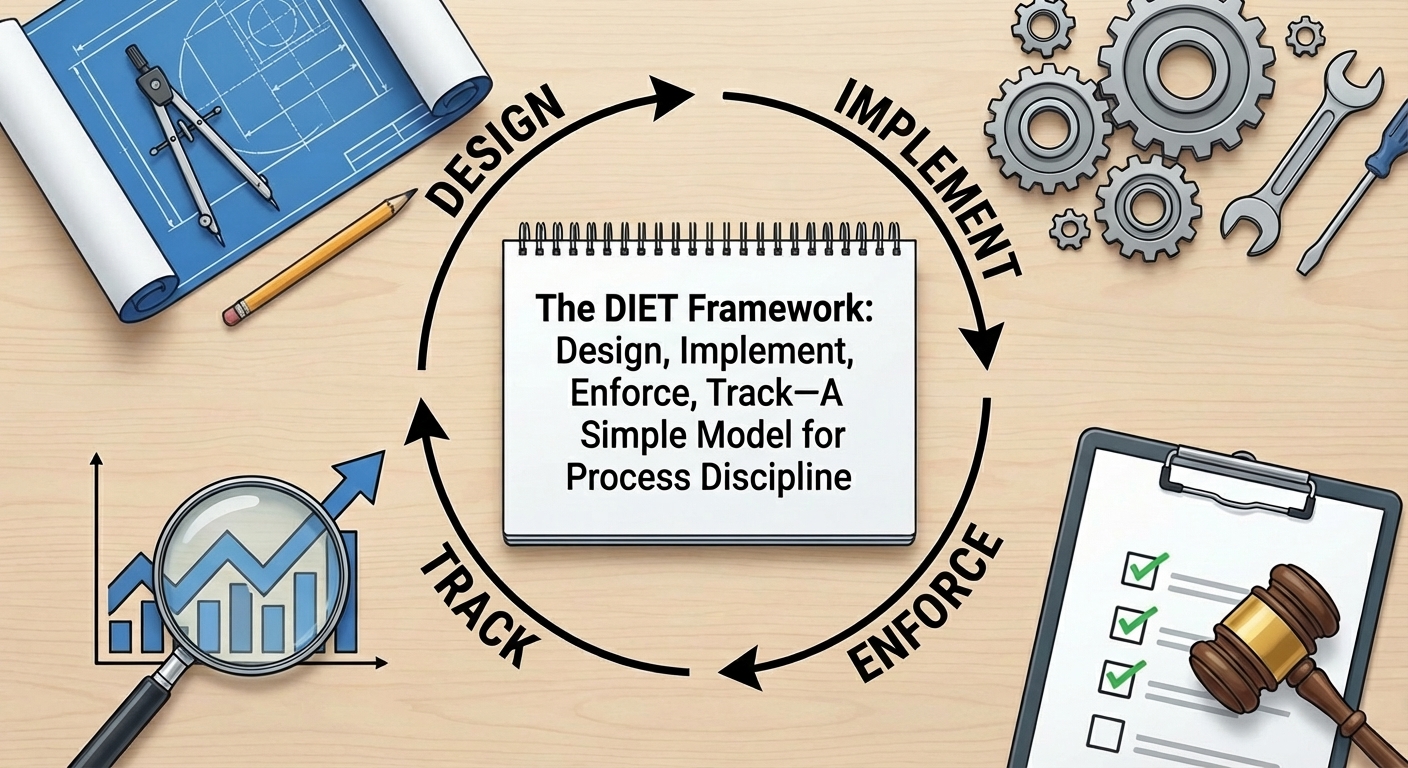
That’s where the DIET framework comes in:
Design → Implement → Enforce → Track
It’s a simple loop that keeps you from doing what most businesses do: designing processes once, forgetting to implement them, never enforcing them, and having nothing meaningful to track.
Why You Need a Framework at All
Without a simple framework, process work tends to look like this:
- Something goes wrong (missed lead, blown schedule, angry customer).
- Everyone scrambles and promises, “We’ll fix this.”
- Someone writes a policy or checklist.
- It gets emailed, maybe mentioned in a meeting… and then slowly fades away.
Six months later, the same problem pops back up and everyone is weirdly surprised.
The DIET framework forces you to ask four deceptively simple questions about every process:
- Did we actually design it?
- Did we implement it where work happens?
- Is it being enforced by the system, not just memory?
- Can we track whether it’s happening and whether it’s helping?
If you can’t answer “yes” to all four, you don’t really have a process. You have a good intention.
D = Design: Decide How the Work Should Go
Design is where most owners either skip ahead or overcomplicate things.
Design doesn’t mean a 40-page SOP. It means a clear, step-by-step answer to:
“When this situation happens, what exactly do we want to happen next—and in what order?”
For example, for a new inbound lead:
- Capture contact details and source
- Log the lead in one place (not scattered emails)
- Make first contact attempt within X hours
- Schedule estimate or next step
- Set follow-up tasks if no response
Good design is:
- Concrete—describes observable steps, not vague intentions
- Role-based—“who does what” is clear
- Starting from reality—built around how your business actually works, not a fantasy of a big corporation
Skipping design is how you end up with “just work harder” as your default strategy.
I = Implement: Put the Process Where the Work Lives
This is where most processes die.
Implementation is the difference between:
- A checklist in a shared folder vs.
- Tasks that actually appear on someone’s screen at the right time.
To implement a process, you have to:
- Turn steps into specific tasks tied to jobs, contacts, or dates
- Make those tasks show up in the tools people already use (not in some separate “process app” everyone forgets)
- Adjust your onboarding and training so people know what this new flow looks like
If your team has to remember to open a PDF or log into a second system to follow your process, it’s already on life support.
Implementation means the process is wired into the way work starts, moves, and finishes—not taped to the wall.
E = Enforce: Make the Right Thing the Easy Thing
“Enforcement” sounds harsh, but in a healthy system it’s really just this:
The path of least resistance is also the right path.
Most businesses rely on verbal enforcement:
- “Guys, don’t forget to update the CRM.”
- “Please remember to take photos before you start.”
- “We really need you to fill these forms out every time.”
That works for about a week.
Real enforcement is built into the workflow:
- You can’t mark a job “complete” until required photos or notes are attached.
- You can’t move a lead to “Estimate Sent” without logging the quoted price.
- You can’t close the day without entering time and checking off a simple end-of-day checklist.
Enforcement doesn’t mean nagging people; it means setting up your system so that:
- Skipping critical steps is hard or impossible
- Doing the right thing is the default, not the exception
When enforcement lives in the software and the task list—not in the owner’s patience—things suddenly become more consistent.
T = Track: Measure Reality, Not Just Intention
Finally, the “T” in DIET closes the loop.
You’ve designed the process.
You’ve implemented it so it shows up as tasks.
You’ve enforced it so people actually follow it.
Now you ask:
- Is this process actually being followed?
- Is it making things better?
Tracking has two layers:
-
Adherence — Are we doing what we said we’d do?
— How many leads get contacted within your target window?
— How many jobs have all required photos and checklists completed?
— How often are scheduled follow-ups actually done? -
Outcomes — Is it working?
— Did callbacks go down?
— Did review volume or ratings go up?
— Did average days-to-collect shrink?
Without tracking, everything feels like a good idea. With tracking, you can decide to keep it as-is, simplify it, tighten it, or kill it and try something better.
Tracking is what turns DIET into a cycle instead of a one-time project. You go back to Design with better information each time.
How to Use DIET in Your Business (Today, Not “Someday”)
You don’t need to overhaul your entire operation to start using DIET. You can pick one painful area and run it through the framework:
-
Pick a specific problem.
Example: leads slipping through the cracks, or jobs starting without key details. -
Design a simple, written flow for just that area.
Keep it on one page if you can. -
Implement it as tasks in whatever system you use now.
Even if it’s basic, get the steps onto real people’s daily lists. -
Ask, “How can we enforce this without nagging?”
Add simple rules and guardrails so skipping steps is hard. -
Decide what you’ll track for 4–8 weeks.
One or two adherence metrics, one or two outcome metrics.
You’ll quickly see why “process discipline” isn’t mysterious. It’s just DIET, over and over, applied to the parts of your business that hurt the most.
Word From Our Sponsor (Yes, DIET Is Baked Into WINWINI)
If DIET feels like the right way to think about process, but you’re wondering how to actually live it across dozens of jobs and hundreds of tasks, that’s exactly what WINWINI was built to support.
WINWINI uses the DIET framework as its backbone:
- Design — Processes are designed in a visual Process Builder, where you map out office and field workflows step by step.
- Implement — Those processes generate real tasks tied to jobs, estimates, leads, and contacts, surfaced in the desktop and mobile apps your team actually uses.
- Enforce — The task engine, timers, and required fields make key steps hard to skip, so “how you want things done” actually shows up on screens, not just in meetings.
- Track — Every task is time-stamped and owned, making it possible to see what was done, by whom, how long it took, and where processes need to change.
Instead of asking your people to remember DIET, WINWINI quietly runs it in the background—so process discipline becomes part of how the business operates, not just something you talk about when things go wrong.