Most small businesses don't have systems. They have an owner wearing too many hats.
WINWINI helps small businesses create the systems big companies use—without the high cost and complexity. The barrier is gone.
With guided setup, you can have your first processes running, begin systemizing your business, and start automating office work within your first week.
Provide your employees, AI agents, and service providers with the context, tools, workflows, and next steps they need. This way, work moves forward without everything depending on you.
WINWINI is built for owners who know:
Their business depends too much on them.
They keep hearing how powerful AI is, but it still feels like little more than ChatGPT.
They need to systemize their business if they want to grow (or have a life).
One operating system — not a pile of disconnected apps, spreadsheets, and email threads.
The core WINWINI package combines customized software, AI, human support, office automation, and guidance. Your team, AI agents, and service professionals can all work from this single environment.
Everything a small business needs to run the office (and jobsite) on systems.
A complete solution for businesses that want people, AI, and office processes all in one system. No more juggling separate tools held together by memory and text threads.
- Web App, OfficeOS, and Process Builder work together to automate, delegate, and track office work.
- A full suite of field apps brings structure and accountability to the job site
- Easily see assigned tasks, completion status, time taken, and team performance.
- A fully managed private environment, ready from day one and adaptable as you grow.
- Back-office and overflow support integrated into your workflows.
- Human receptionists, admin support, bookkeeping, and AI assistance.
- Service pros use the same OfficeOS, Process Builder, and company data as your team.
- Add human support when needed, without hiring or expanding permanent staff.
- AI operates inside the same system as your customers, jobs, schedules, communications, and processes.
- Personal Assistant, Email Assistant, Project Manager Assistant, AI receptionist, and specialized agents are all included.
- Process Builder can assign tasks to AI agents just like it does for employees.
- Agents can read and update records, create tasks, communicate, and schedule work using approved tools.
- Design, Implement, Enforce, and Track how work gets done.
- AI needs structure and context even more than people do. It can’t sift through paper or text threads to find what’s next.
- Despite the hype, many tasks still require human intervention. The Winwini system makes designing human, AI, and hybrid processes (humans and AI together) simple.
- Systemizing your business has never been easier.
- Get up and running with turnkey implementation, an AI Implementation Assistant, and WINWINI service professionals helping you organize your information and configure the system.
- You’re never left to figure everything out alone. Step-by-step guidance helps you build your system at a pace that works for your business.
- Your own business coach can help define job types, design better processes, organize workflows, and work through the real-world decisions software alone can’t make.
- When you get stuck—or simply want another perspective—expert help is only a tap away, with short on-demand coaching sessions available when you need them.
Start putting your business on systems in your first week.
Turnkey implementation helps you organize your information, launch your first processes, and begin automating real office work—without having to figure everything out yourself.
Ask Winnie, our AI guide, anything. Ask about pricing, setup, or fit. No signup. No personal information. Just ask.
Large companies don't get more from AI because they have better AI models.
They get more from AI because their AI operates inside systems.
Most small businesses
AI gives advice, writes content, answers questions, or takes messages — then the owner still has to do the real operational work manually.
- ✕ Scattered, disconnected software subscriptions
- ✕ Spreadsheets and text threads
- ✕ Important information trapped in people's heads
- ✕ No reliable place for AI to take action
The WINWINI way
Humans and AI work from the same operational foundation: customer records, job data, tasks, workflows, communication tools, and process history.
- ✓ Shared business context
- ✓ Workflows humans and AI can both follow
- ✓ Tools to update records, create tasks, and trigger next steps
- ✓ A business that can actually operate with AI
AI does not eliminate the need for process.
AI needs processes more than humans do...it can't thumb through texts and scraps of paper.
A good employee without context, tools, expectations, workflows, visibility, and accountability produces mediocre results. Not because they are bad. Because the system is bad. AI is the same way.
Humans need
- Context
- Access to company data
- Tools
- Expectations
- Workflows
- Visibility
- Accountability
AI needs the same things
- Business data
- Access to company data
- Safe tools
- Process rules
- Task context
- Escalation paths
- Human oversight
WINWINI. What I Need When I Need It.
For AI and humans alike, WINWINI delivers precisely what its name stands for: What I Need When I Need It.
See what makes WINWINI different.
These short videos explain the software, AI, and human services behind WINWINI—and show how they work together in real business situations. See how a small business can gain the systems, support, and capabilities of a much larger company without the complexity or overhead.
Start with the big picture
AI • Human Services • Software • Turnkey Implementation
Short application intros
The Web App • The Office • The Field Apps
Put your business on a process D.I.E.T.
Stop relying on memory and heroics. WINWINI gives you a repeatable framework — and the Process Builder, office automation, and guided implementation path to actually use it.
Design
Design repeatable processes — from simple follow-ups to complex job phases — in office and field.
Implement
Deploy work to your team, AI agents, or WINWINI service professionals inside the same system.
Enforce
Make following the process natural, visible, and repeatable — for humans and AI — with minimal friction.
Track
Measure completion, timing, and accountability automatically. You cannot improve what you do not track.
WINWINI makes putting your business on a process-driven D.I.E.T. practical for small businesses — in the office and in the field.
Put much of Your office on Autopilot.
Process Builder may be the most powerful part of WINWINI.
Most small-business office work does not fail because people do not care. It fails because someone has to remember.
Someone has to remember to follow up with leads, call open jobs, request reviews, check on aging estimates, respond to form submissions, and assign the next task. WINWINI turns that work into processes that run.
Create a process in WINWINI's Process Builder once.
Then every time that process fires, WINWINI creates the task, attaches the context, provides the tools,
and routes the work to the right employee, AI agent, or WINWINI service professional.
Processes can send texts and emails, create appointments, mail postcards, trigger application functions, and coordinate multi-step work automatically.
A database event
A job is completed, a lead is added, an estimate changes status, or a customer record needs attention.
A calendar schedule
Every Tuesday, twice a week, once a month, or any recurring schedule your office needs.
A form submission
A website form, lead form, request, intake, or internal form starts the next workflow automatically.
A business rule
If something needs to happen when certain conditions are met, WINWINI can create the work.
A button press
A button press, a link click, a menu item, or a command starts the next workflow automatically.
A task is completed
A task completion can activate another task or even start an entire new process automatically.
The task arrives ready to complete.
The customer, job, notes, schedule, communication history, next step, and tools travel with the task (call/text/email/update data, right from within the task). The person or AI doing the work does not have to hunt for what they need.
Open jobs contacted twice a week
WINWINI can automatically create recurring follow-up tasks for open jobs, assign them, provide job context, and make sure customers are contacted consistently.
Review calls after completion
When a job is marked complete, WINWINI can trigger a review workflow: call, text, email, task, reminder, or human follow-up.
New website lead process
When someone fills out a form, WINWINI can create the task, attach the lead record, notify the right person, trigger AI assistance, and start follow-up immediately.
WINWINI is not just where tasks are completed.
It is the system that knows when the task should exist in the first place — then gives humans and AI what they need to move it forward.
What I Need, When I Need It.
Every business problem eventually comes down to the same question: does the person doing the work have the information, context, tools, and next steps they need? The same is true for AI.
Underneath WINWINI is a complete operational platform.
A shared environment for your business data, workflows, tasks, communications, AI support, human service providers, and implementation support.
A simple way to view the WINWINI applications and services is this: The web app is your company’s custom business software, extremely capable, installed ready to go from day one, but still fully customizable.
The OfficeOS, The Process Builder, the field apps, AI tools, communication tools, and service professional workflows are the connected applications that make that software useful in the real world.
Explore The PlatformStart putting your business on systems in your first week.
WINWINI is not something you are expected to figure out alone. Turnkey implementation helps you organize your information, launch your first processes, and begin automating real office work.
The program is self-paced and AI-led, with a human kickoff and WINWINI service professionals when you need hands-on help—so setup, process design, communication tools, and your first automations come together correctly and stay running.
See Turnkey ImplementationThe Web App
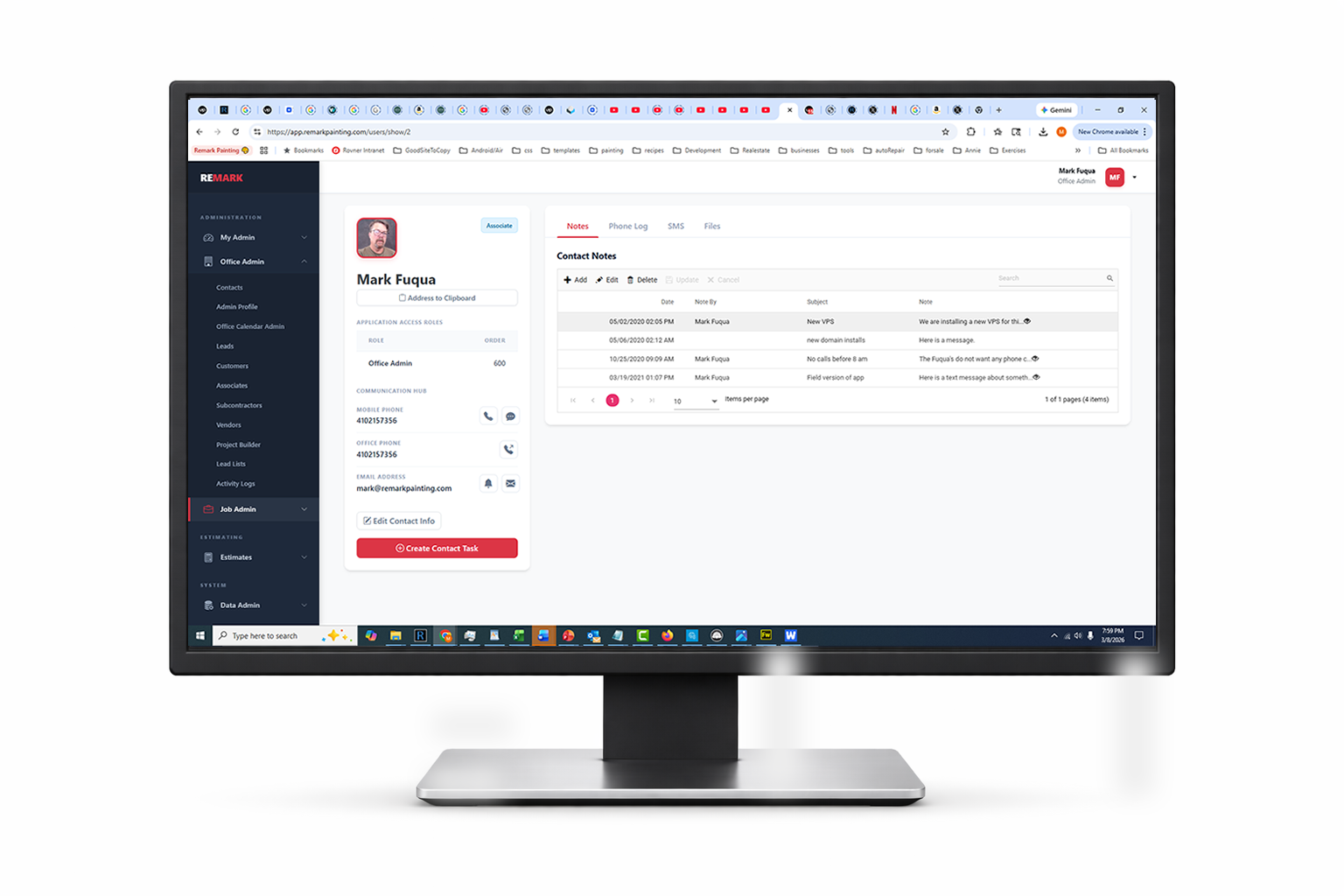
Your business database, admin tools, customers, jobs, contacts, estimating, scheduling, and operational data.
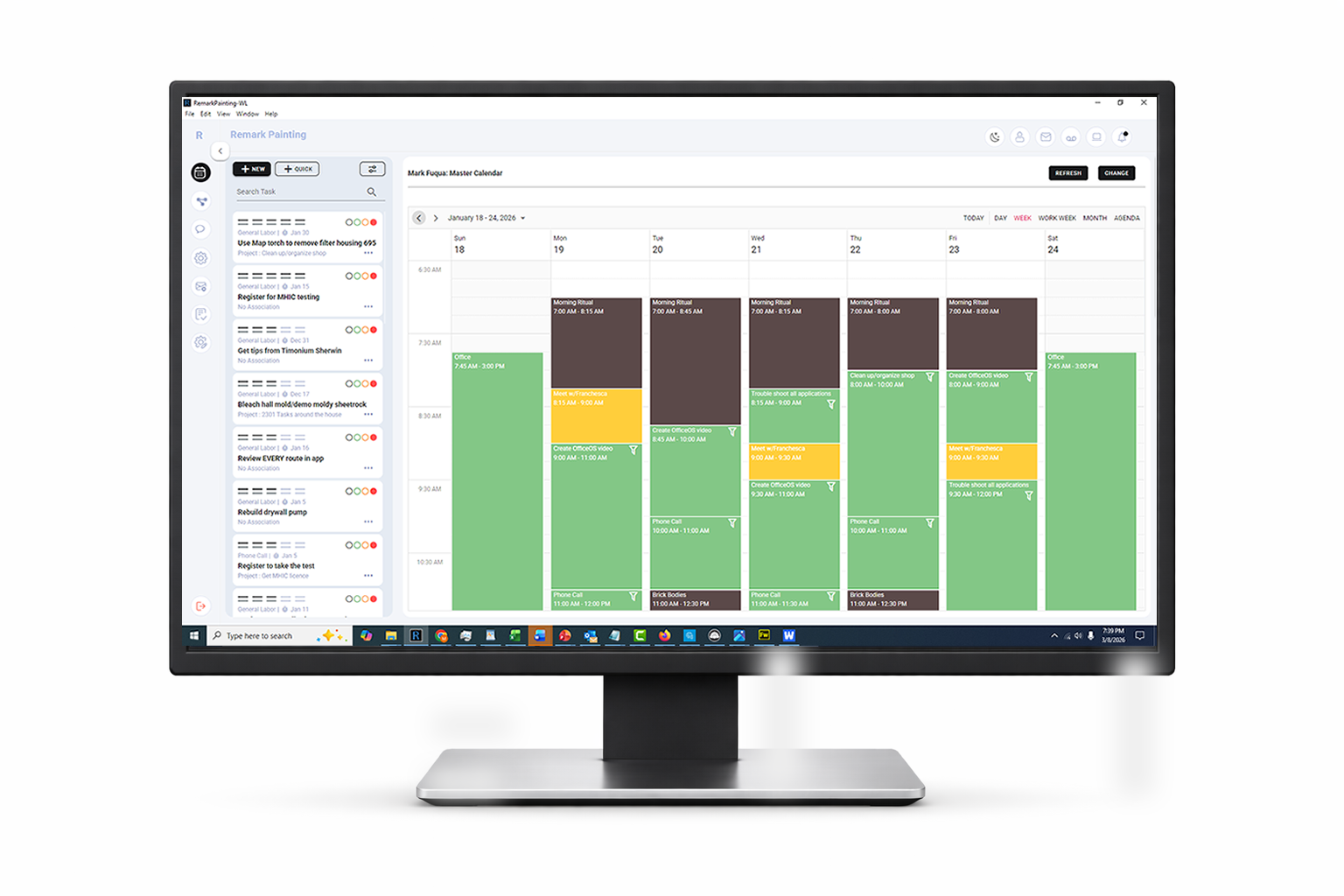
OfficeOS
Tasks, calls, context, calendars, notes, customer information, and communication tools in one daily execution hub.
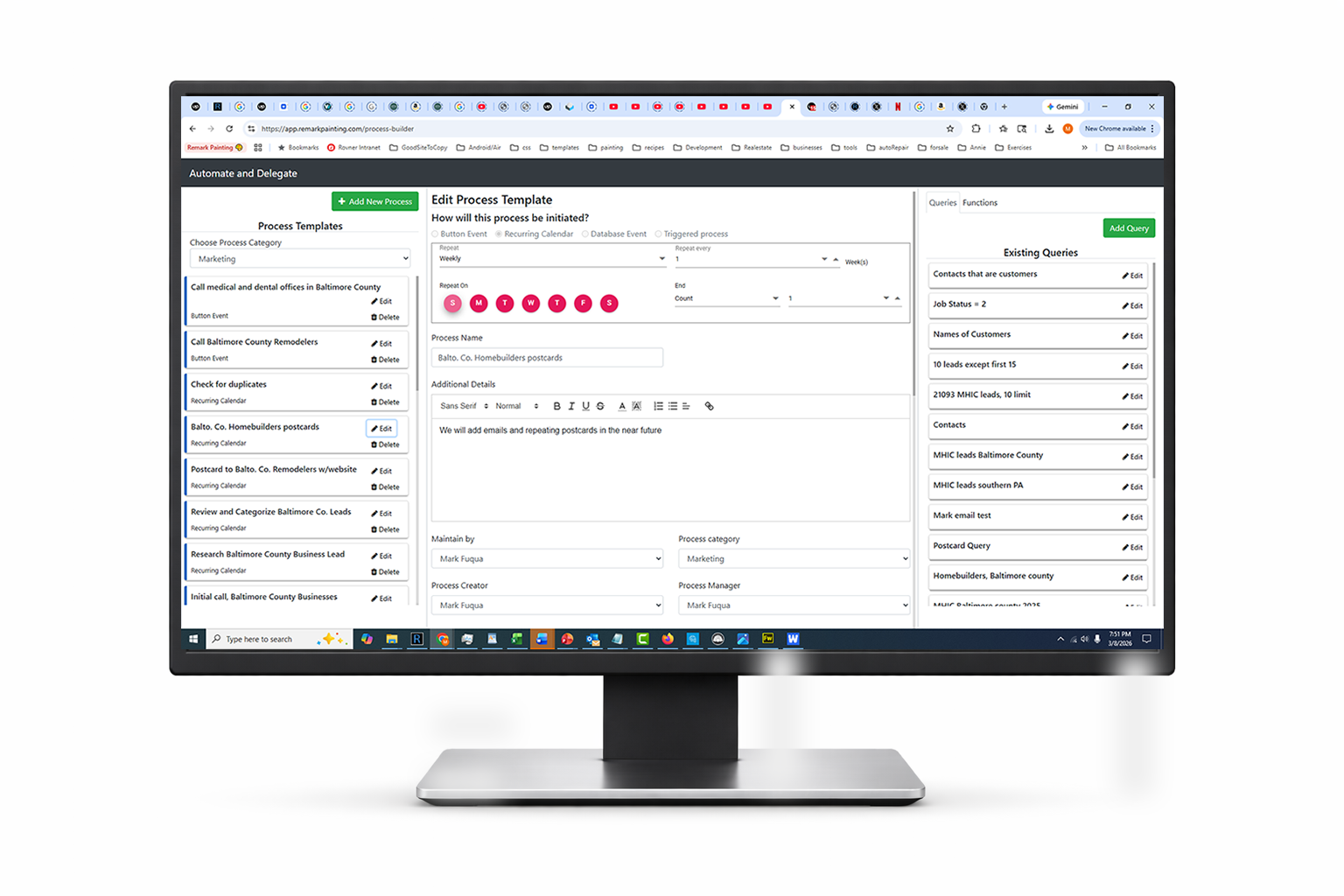
Process Builder
Design repeatable office work once, then trigger tasks, reminders, follow-ups, messages, and handoffs automatically.
AI + Human Services
AI where speed matters. WINWINI service professionals where human judgment, calls, admin work, or follow-through matter.

Field Operations
Once the office system is running, WINWINI can extend into estimating, project management, scheduling, mobile field tasks, subcontractor coordination, and production tracking.
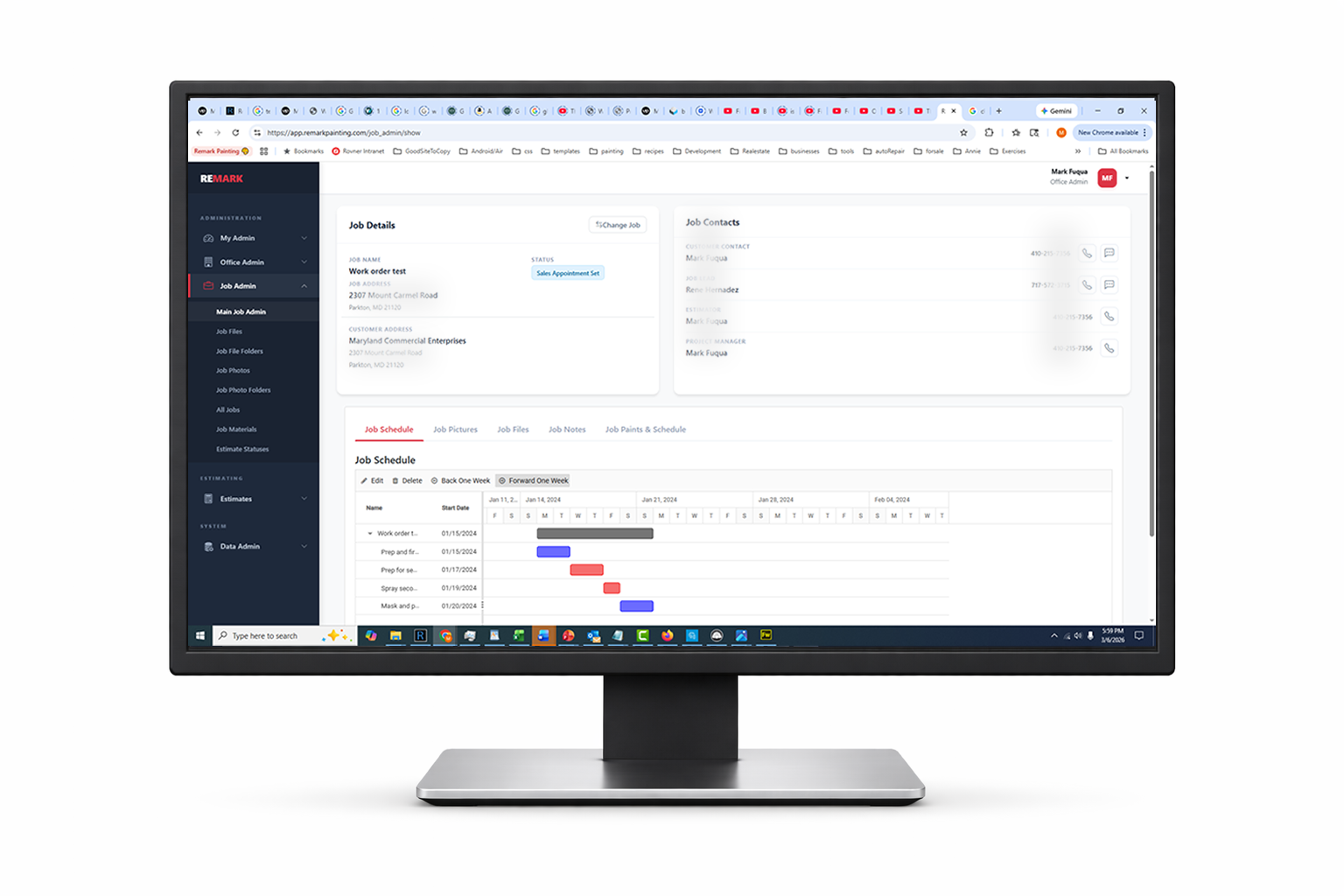
Job Admin
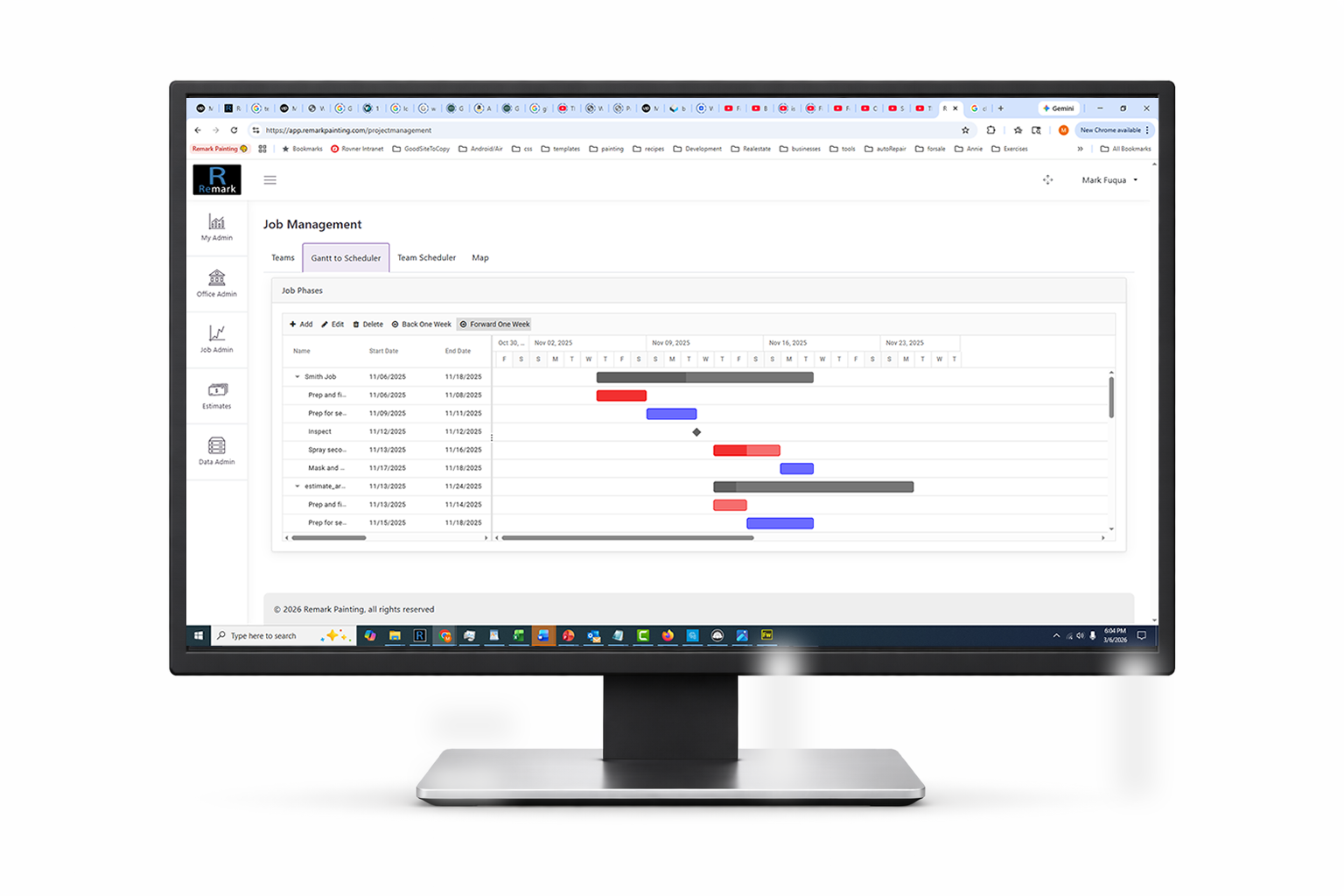
P.M. Console
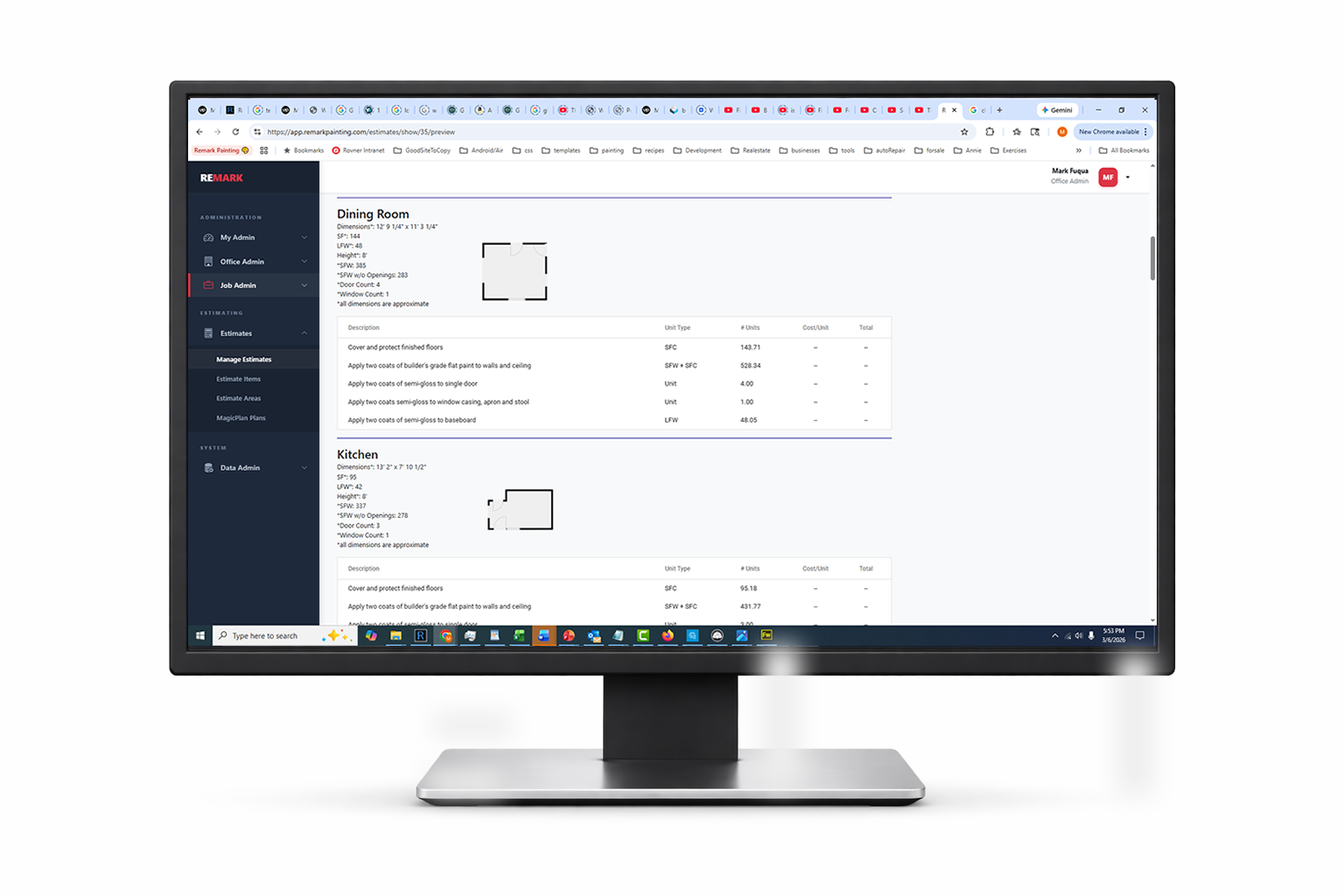
Estimating
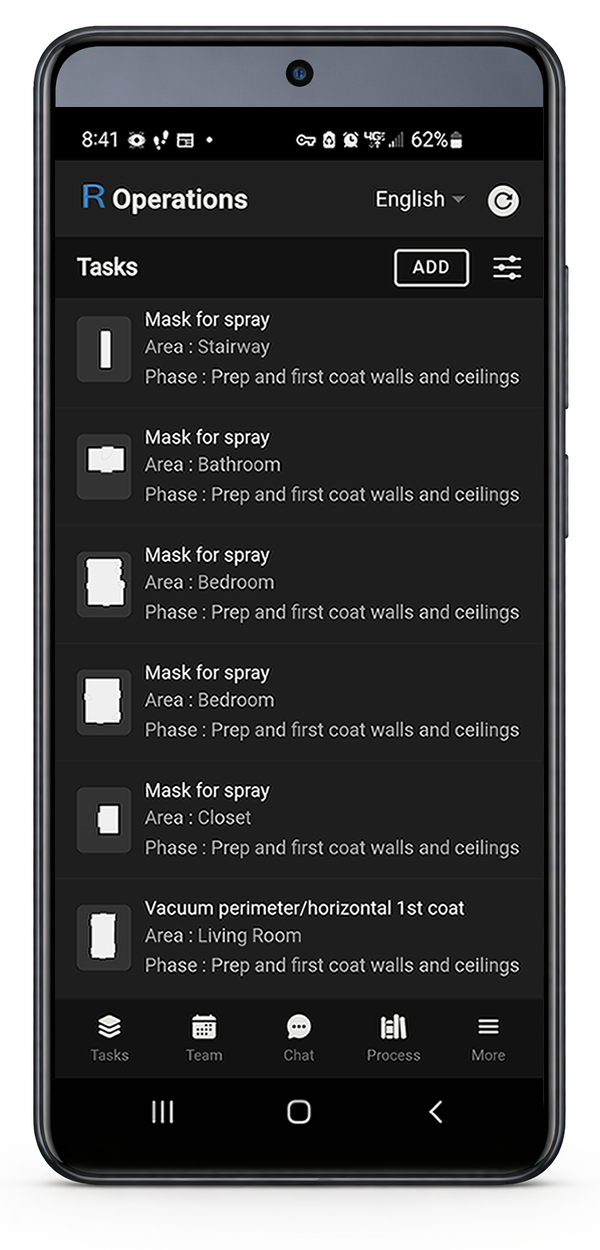
Field Mobile
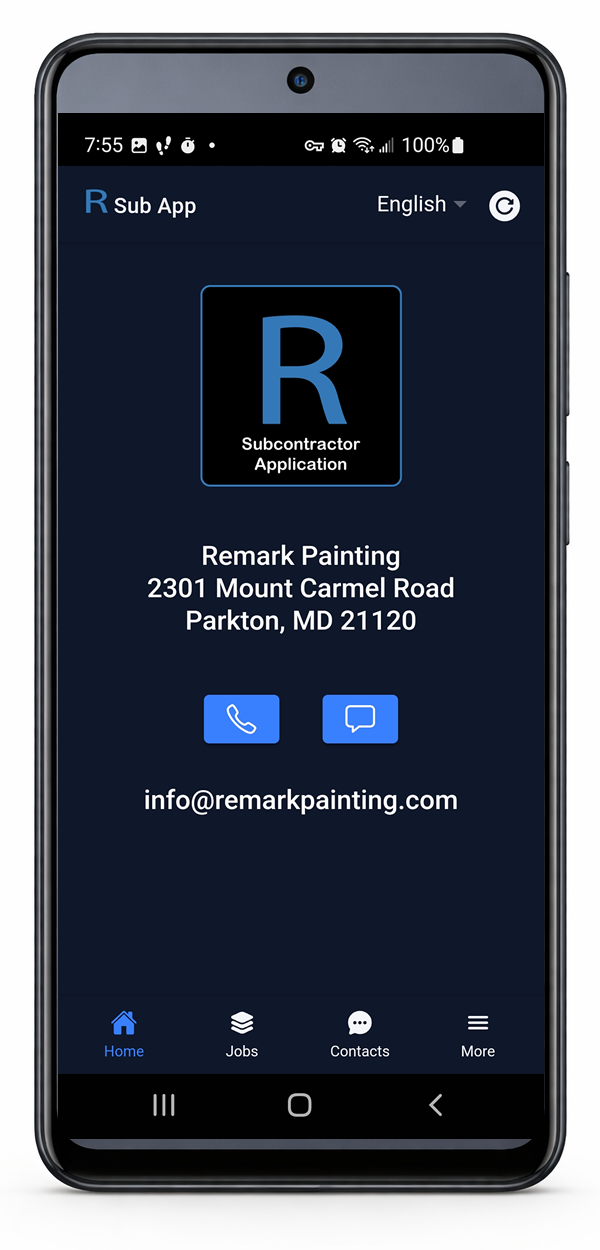
Sub Mobile
Stop running your business on memory.
Build a system that allows humans and AI to say What I Need, When I Need It.
Have any questions?
Ask Winnie, our AI guide. She can walk you through WINWINI, pricing, and whether it fits your business — no signup required.
Prefer to speak to a human?